Public beta · version 0.3.0
The same passport on a large screen
The whole patch in front of you, cue lists side by side, printing and export prepared calmly at a desk rather than on a phone in the dark.
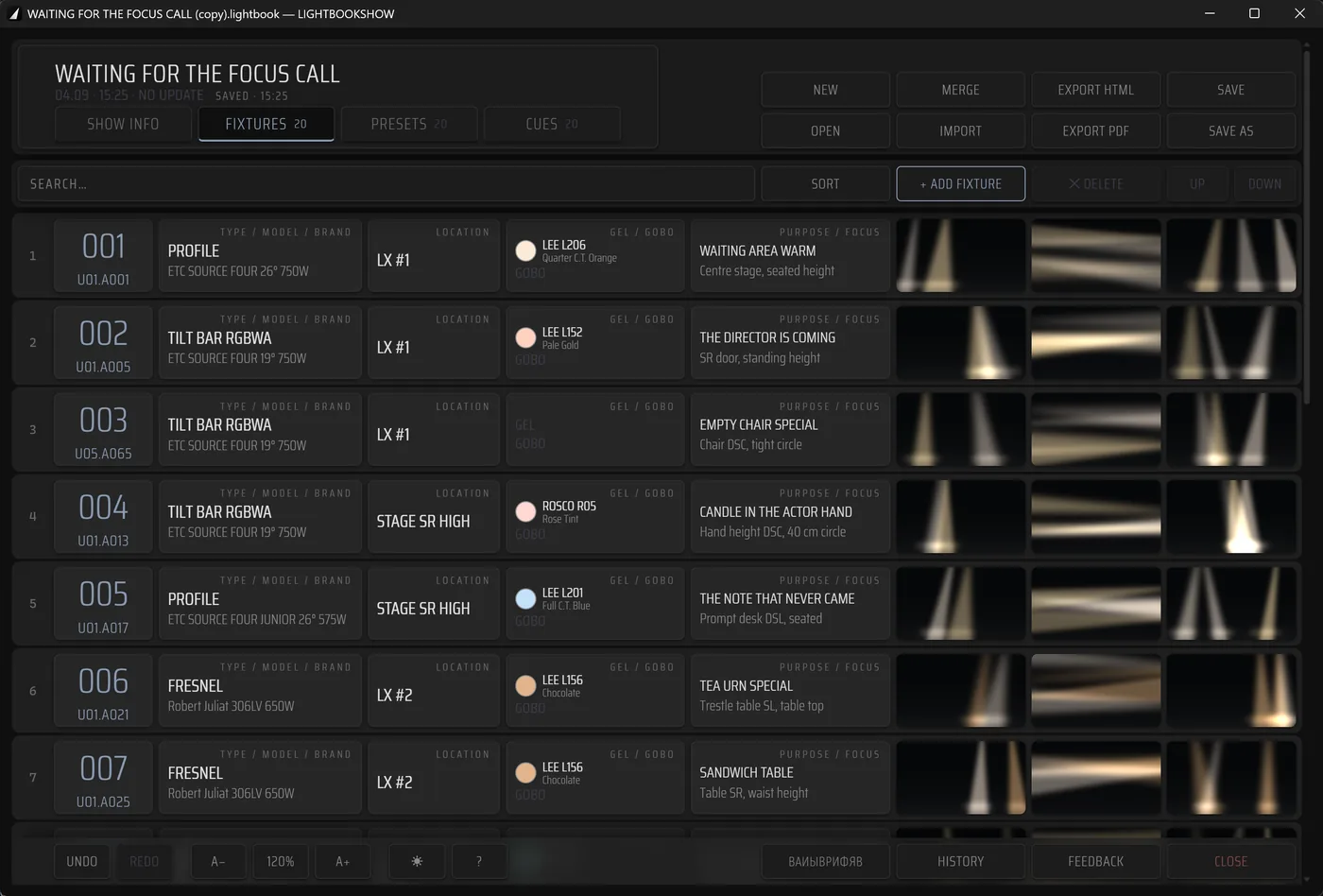
The editor opens the same project file the phone writes. Nothing is converted and nothing is uploaded anywhere — the file is opened, worked on, and saved back.
Windows
For the production office and the console desk, where the show file is prepared before the focus call and tidied up after it. The patch, the fixture cards, presets and cue lists open in one window.
macOS
For the lighting designer's own machine, where the passport is assembled, read and handed on. Several project files merge into a single passport when the focus was written down in parallel.
I · Entry
Every field is a picker
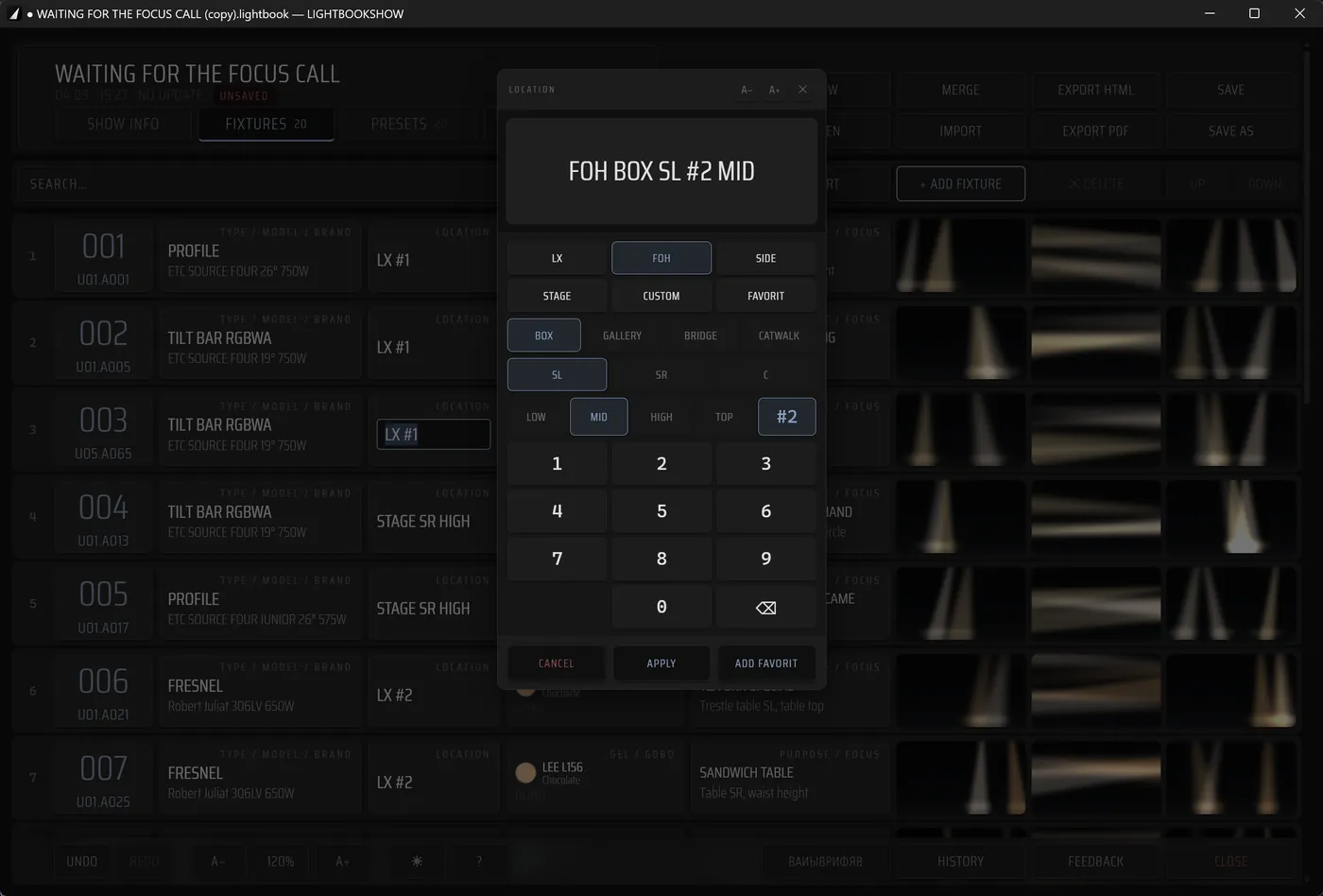
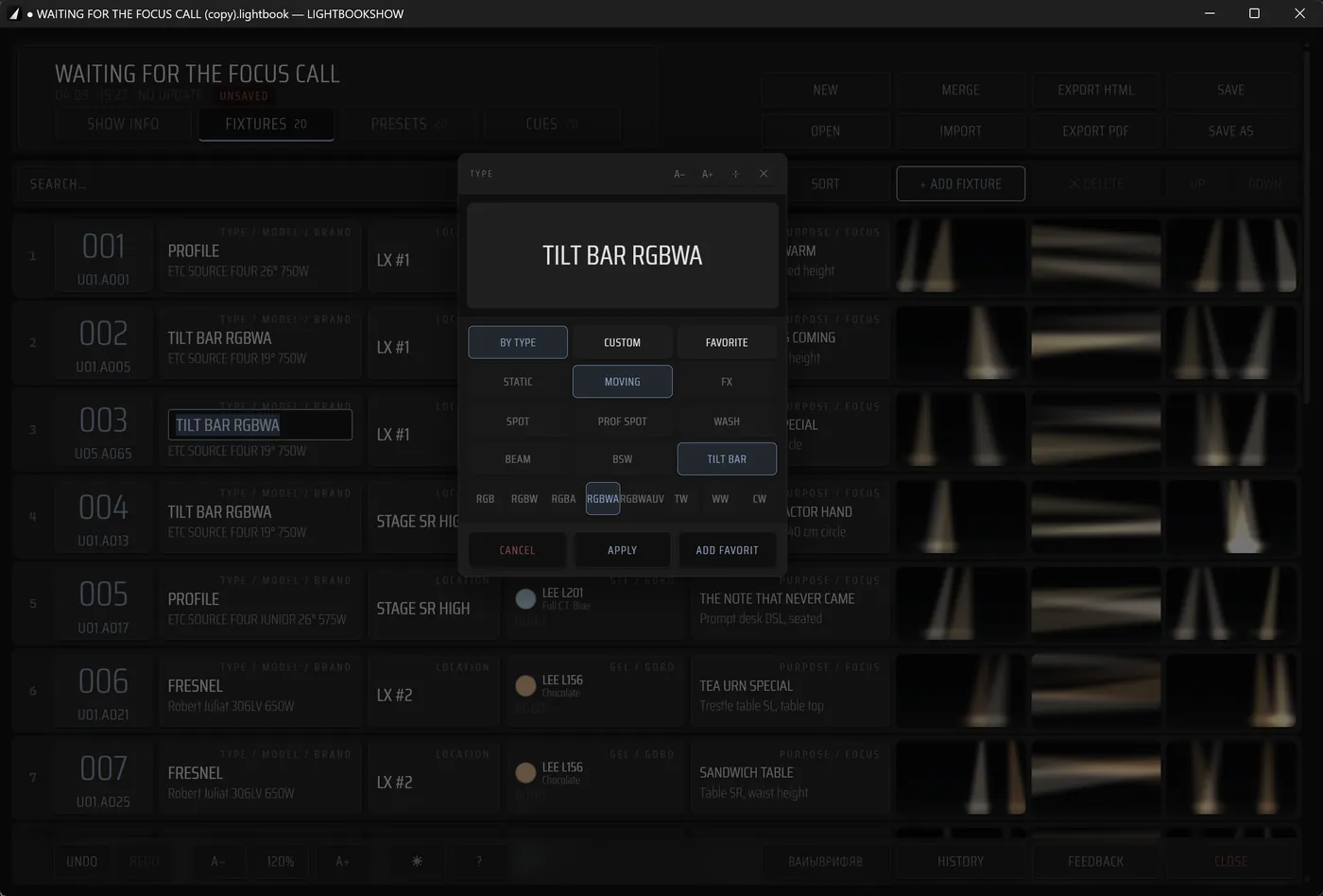
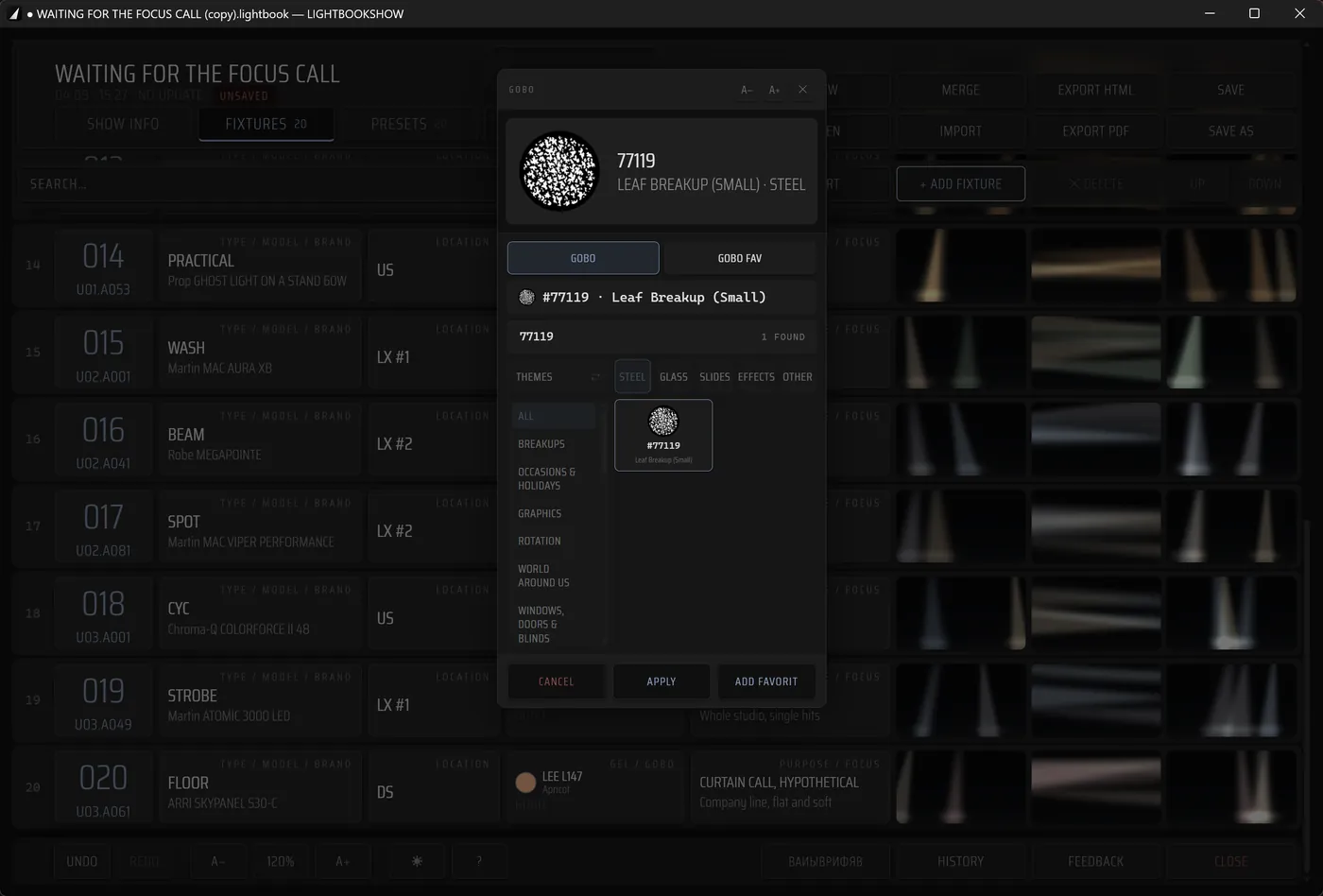
A fixture card is not a form you type into. Address, location, type and model, gel and gobo each open a picker that already knows the catalogue: the patch goes in the way it is read off a console — by number and by name.
Location
Type and model
Gobo
II · The check
Photographs at full size
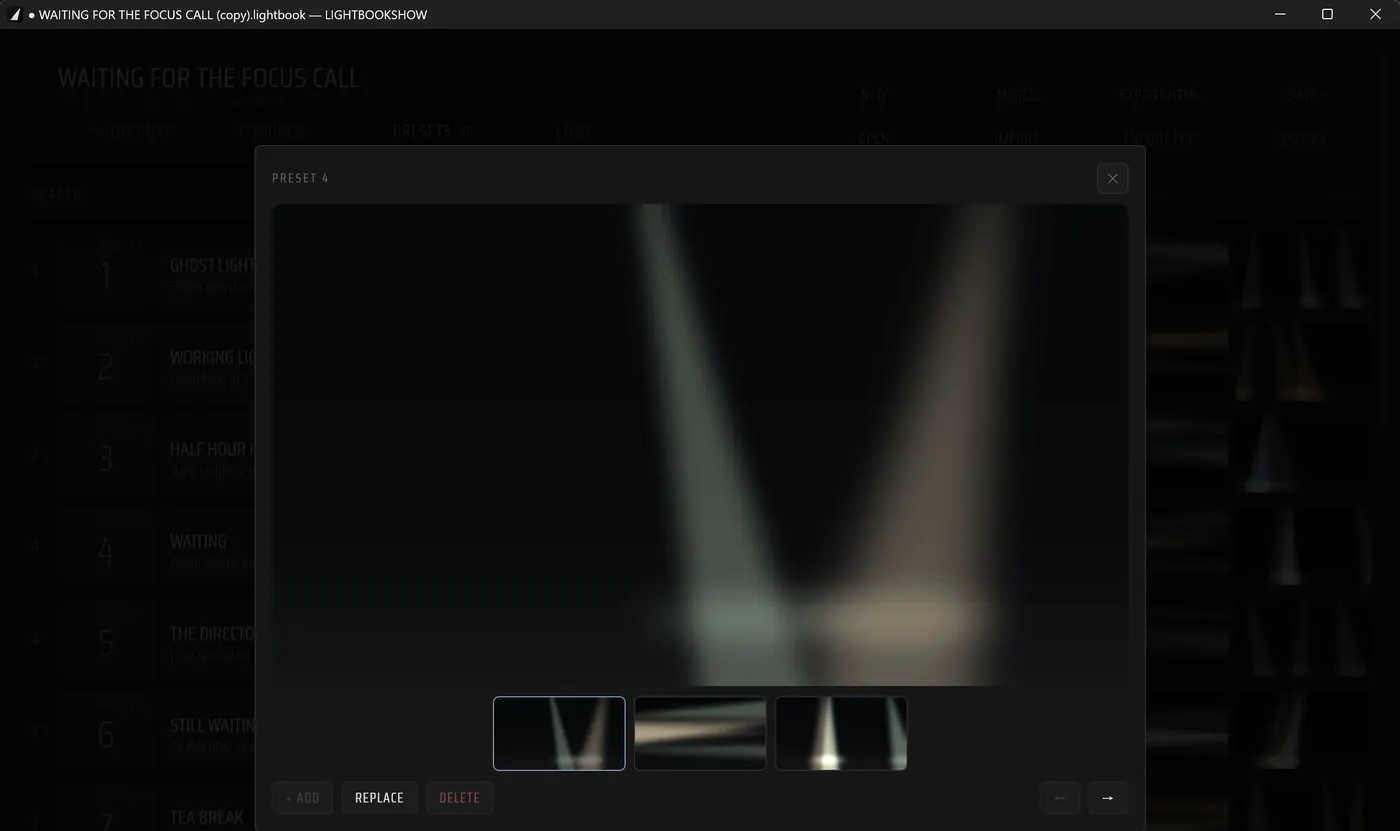
The frames shot on the phone during the focus call open on the large screen at the size they were taken, next to the console data they belong to. That is the check the passport exists for.
What the large screen adds
The whole patch at once
Hundreds of fixtures in one table instead of a scrolling list, with sorting and search across every field.
Printing and export
PDF for the archive and for the folder that travels with the production; HTML for reading on any machine.
Merging files
Several people write the focus down in parallel; the files come together into one passport without retyping.
Console import
Patch, presets and cues from grandMA and ETC Eos — together with timing values and the console's text notes.
The beta is open
The Windows build can be downloaded now, the Mac build is arriving in TestFlight. Leave your email and we will write when the release is out.
How to install →Or write to info@lightbookshow.com